How to Design a Quality Custom T-Shirt: Beyond the Logo
A high-quality custom T-shirt is a powerful piece of wearable marketing. It demands attention to the unseen details: fabric, print technique, and design file preparation.
To design a quality custom T-shirt, you must choose premium fabric (like ringspun cotton), select a durable printing method (Screen Print for bulk, DTG/DTF for detail), and ensure your artwork is high-resolution (vector or 300 DPI PNG). Quality is the result of meticulous planning that merges visual identity with wearability.
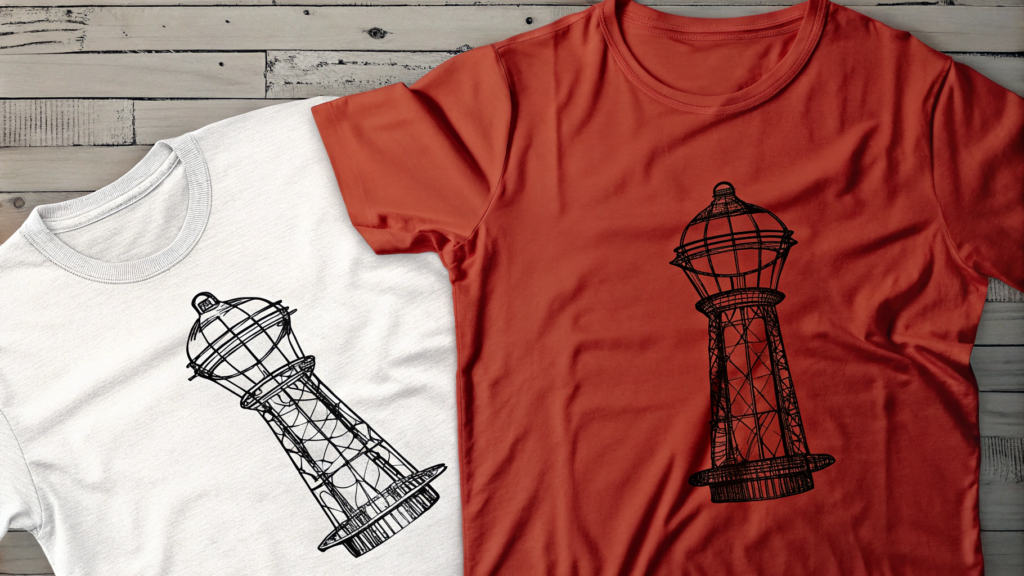
Designing a quality custom T-shirt is more than just choosing a logo and a color $\text{—}$ it’s the art of merging visual identity, comfort, and purpose into something people actually want to wear. In my perspective, a great T-shirt design starts with intention: understanding who will wear it and why. The fabric choice sets the foundation $\text{—}$ ringspun cotton or cotton-poly blends provide durability and softness that elevate even the simplest design. Next comes the print technique $\text{—}$ whether it’s screen printing for bold colors, DTG for intricate detail, or embroidery for a premium finish, the goal is longevity, not novelty. But the most overlooked element is balance: a well-placed graphic that feels natural, not forced. A T-shirt that looks effortless usually hides meticulous planning $\text{—}$ alignment, typography, and negative space all play quiet but critical roles. In short, quality custom T-shirt design isn’t about decoration $\text{—}$ it’s about storytelling through wearability.
How to Make High Quality Shirt Prints?
The longevity and look of your shirt depend entirely on matching your design to the right printing technique. Don't compromise on durability.
High-quality shirt prints are achieved by using the appropriate method for the design and volume. Screen Printing1 offers the most durable, vibrant, and cost-effective print for bulk orders with simple color counts, while DTG (Direct-to-Garment) or DTF (Direct-to-Film) provides superior detail and color complexity for smaller batches.
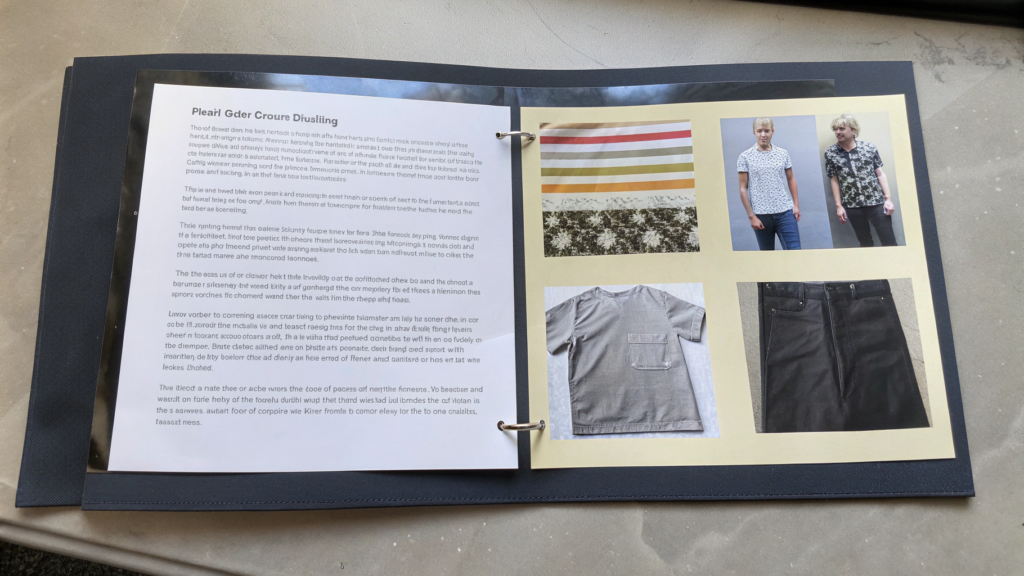
A durable, high-quality print begins long before the ink touches the fabric. It starts with selecting the right technique based on three factors: Volume, Detail, and Fabric.
| Printing Method | Best For | Durability & Feel | Key Detail |
|---|---|---|---|
| Screen Printing | High volume (50+ shirts), simple designs (1-5 colors). | Excellent durability; thick, slightly raised texture. | Most cost-effective for bulk; colors are vibrant. |
| DTG (Direct-to-Garment)2 | Low volume, complex, photo-realistic designs. | Good; soft, almost no-hand feel on white shirts. | Works best on 100% cotton; high detail/unlimited colors. |
| DTF (Direct-to-Film) | Low to medium volume, multi-color designs, diverse fabrics. | Very durable; print sits on top of fabric. | Highly versatile; works well on polyester/blends. |
| Embroidery | Premium logos, small placements (pockets, collars). | Extremely durable; outlasts the garment. | Textured, professional finish; limited in detail/color complexity. |
For quality, ensure your final artwork is either a Vector File (AI, SVG) for screen printing to maintain sharp edges when scaled, or a High-Resolution PNG (300 DPI) for DTG/DTF printing to avoid pixelation. Always use a printer who manages the curing process correctly, as proper heat-curing is what ensures the print won't crack or fade prematurely.
Is Canva Good for Making T-shirts?
Canva is a great tool for generating ideas and rapid prototyping, but you must be aware of its professional limitations when exporting for print.
Canva is excellent for making T-shirts for beginners and simple designs due to its vast template library and user-friendly interface. However, for professional printing, its limitations in creating true vector files3 and precisely controlling print-ready color modes (like Pantone or CMYK) mean advanced designers often rely on software like Adobe Illustrator.
For non-designers or those needing quick, simple branded merchandise, Canva is a game-changer. It excels at typography-based designs, simple shapes, and quick mockups because of its easy drag-and-drop features. However, professionals often run into issues when moving from the screen to the printer's press.
- Resolution and Format: While Canva Pro can export high-resolution PNGs, it struggles to produce the native vector files (AI or EPS) that screen printers often require for the sharpest, most scalable results. Scaling a Canva design up can result in visible pixelation.
- Color Management: Canva primarily operates in the RGB color space (for screens). Professional printers use Pantone for exact color matching or CMYK for digital prints. The conversion from RGB to CMYK can sometimes result in colors looking muted or "off" from the screen proof.
If you use Canva, always ensure your final export is a PNG with a transparent background at the maximum possible size (ideally 4500 pixels or larger) and check the design on a printer's mockup to anticipate color shifts.
Which Font Is Best for a T-Shirt?
Typography is the voice of your brand. The "best" font is one that achieves maximum legibility and aligns with your T-shirt's purpose at a distance.
The best font for a T-shirt is a bold, legible sans-serif font (like Montserrat, Bebas Neue, or Oswald) as they maintain clarity and thickness, even when scaled down or viewed from a distance. Script or delicate serif fonts should be used sparingly for effect, and only in large sizes to prevent the lines from printing too thin.

When selecting a font, remember a T-shirt is a moving canvas, often viewed quickly.
- Legibility is Paramount: Fonts with very thin strokes, heavy embellishments, or excessive serifs can become indistinct or blurred when printed, especially with screen printing methods where thin lines can break down. Bold, clean, geometric sans-serifs are the safest and most reliable choices for clear communication.
- Stroke Weight: Ensure the minimum line weight is at least 2pt (check with your printer's requirements). Thin lines can be "washed out" during the printing process.
- Style Alignment: The font must match the message. A classic, bold slab serif (like Graduate) suits a collegiate or vintage look, while a clean sans-serif (like Lato or Avenir) is perfect for a modern, corporate aesthetic.
Always test your chosen font at the smallest intended size on a screen mockup. If it's hard to read digitally, it will be even harder to read on fabric.
Conclusion
Designing a quality custom T-shirt requires moving beyond the visual $\text{—}$ it demands intentionality in fabric choice, strict adherence to high-resolution artwork (Vector/300 DPI PNG), and strategic selection of the printing method to ensure durability and aesthetic integrity.
Would you like me to research suppliers for premium ringspun cotton or cotton-poly blend T-shirts suitable for custom printing?
-
Explore the advantages of Screen Printing, especially for bulk orders, to ensure vibrant and durable designs. ↩
-
Learn about DTG printing for complex designs and how it can enhance the quality of your shirt prints. ↩
-
Understanding true vector files is key for achieving sharp, scalable designs in professional printing. ↩